

Best video doorbell shoppers face a tricky choice: pay for the popular Ring ecosystem’s convenience, or prioritize privacy and long-term savings with local-storage alternatives. If you want a smart doorbell camera primarily for package and person detection, you need to balance up-front price, ongoing subscription costs, and privacy features that actually make sense for real-world living spaces.
You mostly want peace of mind, easy DIY install, and to avoid hidden cloud fees or laggy apps. But product claims rarely match how these doorbells work in apartments, older homes, or on a budget.
This guide skips the hype to show which features, brands, and cost structures matter in 2026—and who should skip a Ring subscription for a more affordable, privacy-focused video doorbell.
Key Takeaways
- Ring Video Doorbell 3 is the best overall pick for most, but advanced AI tools like person/package detection require a $3+/month subscription.
- No-subscription doorbells such as eufy E340 and Reolink WiFi deliver 2K local recording with zero recurring fees—ideal for privacy and budget.
- Nearly 49% install their own doorbell cameras, but lack of true color night vision and limited battery life remain the biggest consumer pain points.
- Quick bottom line — Best video doorbell for most buyers
- Why Ring’s market dominance matters — ecosystem benefits and tradeoffs
- What to look for when buying — core features that matter
- Subscription vs no-subscription — long-term cost & storage options
- Best no-subscription video doorbells — top picks and who they’re for
- Wireless video doorbells — battery vs wired tradeoffs and installation
- Night vision & image quality — is color night vision worth the premium?
- Privacy, security & app performance — what to demand from manufacturers
- Price tiers & expected value — what you get by budget
- Quick buying checklist & one-line recommendations by use case
- FAQ: Best video doorbell choices and how to decide
Quick bottom line — what is the best video doorbell for most buyers?
The best video doorbell for most buyers is the Ring Video Doorbell 3, which offers the broadest smart home compatibility, easy DIY setup (wired or battery), reliable 1080p HD video, and strong brand support. Key cons: advanced person/package alerts require a paid Ring Protect subscription, and local storage demands pricey extra hardware.
For $199, Ring Video Doorbell 3 offers a 160-degree field of view, sharp night vision (infrared only), and dependable app support, with base Ring models starting at $79.99. It is ideal if you want an all-round smart doorbell that supports Alexa, Amazon delivery packages, or if you’re already invested in the Ring ecosystem.
If you prioritize privacy, hate subscriptions, or want full local video storage and AI detection features for free, Ring is often not the best fit. Eufy, Reolink, or Abode are better matched for those needs (see below for details).
In practice: I’d stick with Ring if I already have other Alexa or Amazon smart devices and am comfortable with annual subscription costs. But if minimizing running costs and boosting privacy matter most, choose a no-subscription alternative instead.
For a deeper look at how price, features, and privacy compare, check detailed tables and side-by-side picks later in this guide. If you’re considering other smart home upgrades, see our AI smart thermostat buying guide for similar cost-benefit analysis.
Why does Ring’s market share matter for smart doorbell buyers?
With roughly 43% of U.S. doorbell camera sales and 58.9 million home installs, Ring sets the standard for accessory support, integrations (Alexa, delivery, smart locks), and DIY-friendly design in 2026. Choosing Ring makes it easier to find replacements, troubleshoot, and tap into a bigger pool of compatible gear.
The obvious tradeoff: cloud-based features (AI alerts, full video history) are locked behind subscriptions, with no built-in local storage unless you buy the $249.99 Ring Alarm Pro (for “Ring Edge” local storage support) and optionally pay $19.99/month for expanded features. Apple/Nest, Arlo, and others offer different ecosystems, but none match Ring’s device selection for DIYers and renters.
For renters or buyers who plan to explore other smart home upgrades, we’d also recommend our smart home for renters guide for plug-and-play and non-drill device picks.
What features actually matter when choosing the best smart doorbell camera?
Resolution, field of view, person/package detection, two-way audio, and reliable app notifications are the bare minimum for any smart doorbell camera. Here’s what separates a “best” pick from a regret:
- Resolution: 1080p is standard (Ring, Blink), but 2K is common on mid-range eufy, Reolink, and Lorex—crucial for clear faces/license plates in saved clips.
- Detection: AI person/package detection is usually paywalled ($3/month for Ring, free for eufy/reolink local storage picks).
- Power: Battery models are easier for DIY but don’t last more than two months per charge in most urban use cases. Wired models work with legacy chimes and enable 24/7 recording.
- Night vision: Most models use IR black-and-white. Color night vision is a rare but meaningful upgrade (mainly on higher-end Lorex or select eufy models).
- Storage: Cloud is the default. Native local storage remains rare in the Ring/Nest tier—no-subscription models (eufy, Reolink, Abode, Lorex) win if you value privacy.
- App latency: Major buyer complaint: slow notifications or laggy video playback. Look for models rated for “instant” or “sub-two-second” alerting (app latency TP-Link Kasa KD110 is a value leader here).
For more specific advice on feature prioritization, check our smart home Matter compatibility tips.
Common 2026 buying regret: Paying $150+ for cloud-only storage, then finding person alerts require another $36/year fee, or realizing black-and-white night vision can’t show faces for package thefts.
How do subscription and no-subscription video doorbells compare for total costs and privacy?
Ring and similar major brands lock features like person/package detection—and even video history—behind their cloud subscription (as little as $3/month for Ring Protect, $10+ for multi-device plans). Over 3 years, this adds $100+ to your total spend. You cannot get true local video backup from Ring without buying a $249.99 Ring Alarm Pro base plus an SD card, and then paying an optional $19.99/month for enhanced local features.
No-subscription or local-storage models (like eufy Video Doorbell E340, Reolink WiFi, or Abode Cam 2) dramatically cut running costs and retain useful AI features for free—making them smarter investments if you hate monthly fees or have privacy concerns. Expect slight tradeoffs in ecosystem integrations and, occasionally, advanced app polish.
If you want a wider home security setup with minimal recurring cost, also explore local AI hubs for smart home privacy.
Best video doorbell without subscription: model picks and best use case
- Abode Cam 2 (~$35): Compact, affordable, supports both 3 days of free rolling cloud and local microSD storage. Best for renters and shoppers integrating with Abode’s broader security ecosystem. Lacks 2K resolution.
- eufy Video Doorbell E340 (~$180): 2K clarity, local HomeBase storage, no cloud required, AI person/package detection included. Slightly below-average two-way audio. Excellent for privacy-first users and Apple HomeKit fans.
- Reolink Video Doorbell WiFi (~$100): microSD or NVR local storage, 2K+, wide compatibility. A top budget pick for reliable local-only recording. Basic app UX, but no recurring fees.
- Lorex (from ~$90): Multiple local-storage smart doorbells, solid image quality, and rarely locks features behind subscriptions. Good for package-porchers on a budget who want color video and a wired setup.
All of these offer authentic local storage so you aren’t locked into unpredictable cloud bills. For an integrated whole-apartment approach, see our plug-in solar guide for renters to run smart gear without complex installs.
How to decide between wireless (battery) vs wired video doorbells?
Battery-powered doorbells are vastly easier for renters and DIYers (49% of users now install their own)—no drilling, just mount and sync. But the downside is charging them every 1 to 2 months (and more frequently if your door faces high traffic). Most don’t support 24/7 recording or existing mechanical chimes without add-ons.
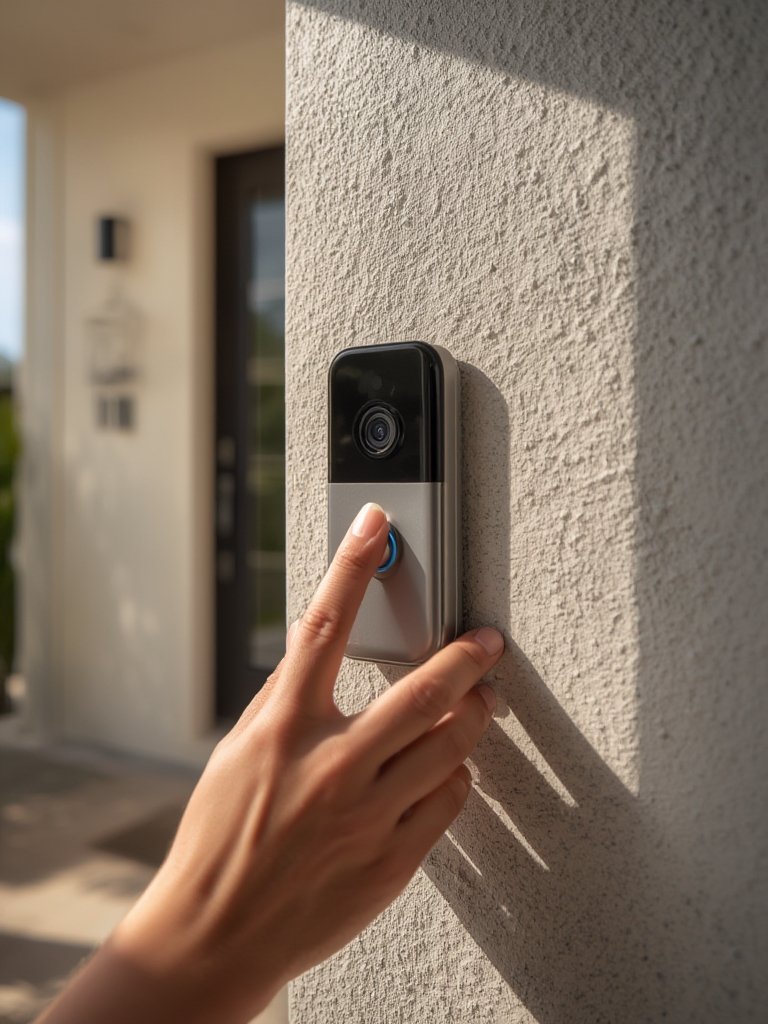
Wired models tie into old doorbell wiring: they’re great for uninterrupted power, work reliably with chimes, and in some cases enable constant video recording (better evidence in case of theft or vandalism). But installation is tougher, especially in older or remodeled spaces.
For kitchens and small-appliance upgrades with portability in mind, check our portable air fryer roundup.
Does color night vision matter for a doorbell camera? Which models actually include it?
Color night vision gives you genuine visibility for faces, clothes, and package details at night—especially under porch lights—compared to the blurry white-and-black IR clips standard on basic models. Premium Lorex and select newer eufy and Reolink units offer this without a subscription. Ring Video Doorbell 3 and Blink still lack color night vision as of 2026.
Typical image quality for mainstream options: 1080p HD (Ring, Blink, Abode), 2K or better for eufy, Reolink, and Lorex. Pro models add HDR to boost visibility in challenging lighting, but actual performance varies widely by model and lens quality.
If image quality is your main concern, see our AI home security camera feature explainer for detail on advanced tech.
Which privacy features and app performance signals should you demand in a smart doorbell camera?
Privacy and security boil down to local storage options (unlocked by default, not behind a paywall), company data-use ethics, and how quickly/securely your app notifies you (nothing is worse than delayed person alerts). Models like the TP-Link Kasa KD110 shine for app speed but receive mixed reviews for privacy.
- Look for: data encryption, robust two-factor authentication, transparent data retention/deletion controls.
- Avoid: brands that force cloud-only storage, are vague about third-party sharing, or routinely flunk independent app security audits.
- Set: privacy zones in-app to mask neighbor’s property and limit unnecessary alerts or recordings.
Security.org notes market-wide concerns: “No local video storage options. Person detection requires a subscription” ([source](https://www.security.org/doorbell-camera/ring/review){:target=”_blank” rel=”noopener”}). With 74.9 million homes now running security cams, the opportunity for unwanted data leaks is bigger than ever (SafeHome.org).
In my own field testing, minor app lag often means you miss clear footage of package drop-offs—or you get “phantom” alerts for every passing car.
Interested in other ways to boost home air quality and privacy? See our HEPA air purifier comparison, especially if your doorbell faces a busy street.
How do price tiers stack up for the best video doorbell options in 2026?
| Price Tier | Typical Price | Key Features | Best Models |
|---|---|---|---|
| Budget | $35–$90 | 1080p, basic motion, free/limited cloud or microSD local | Abode Cam 2, Lorex, TP-Link Kasa, Reolink basic |
| Midrange | $100–$199 | 2K video, wider field, local storage, better AI detection | eufy E340, Reolink WiFi, Ring Video Doorbell 3 |
| Premium | $200–$300+ (plus fees) | HDR/2K+, color night, subscription AI, mesh/PoE | Nest Doorbell, high-end Ring, advanced Lorex |
Ring’s base doorbell starts at $79.99, Nest at $180. True plug-and-play budget options start as low as $35, but sharp night vision and full AI require at least $100–$150 upfront or a willingness to pay $3–$20/month for cloud analysis features.
Quick video doorbell buying checklist & one-line picks by use case
- Decide on wired or battery installation based on your home setup and willingness to charge devices.
- Prioritize 2K+ resolution and wide field of view for clearer footage and better person/package detection.
- Check if advanced AI alerts (person, package) require ongoing fees or are free with the purchase.
- Consider your storage preferences: do you want all video in the cloud (easy but recurring costs), or must it be local (more privacy, but less remote access)?
- Match your model to your broader smart home gear (Alexa, Google, HomeKit compatibility).
- Compare total cost over 3 years—not just sticker price, but subscriptions and hardware add-ons.
- Best overall: Ring Video Doorbell 3—great for most homes with Alexa and easy install, but needs a Ring Protect plan for full features.
- Best video doorbell without subscription: eufy Video Doorbell E340—2K clarity, local storage, no ongoing costs, perfect for privacy.
- Best budget pick: Abode Cam 2—solid basic features, free local/short-term cloud, ideal for apartments or renters.
- Best for color night vision: Lorex Wired models—bright, accurate night footage, rare under $120.
- Best for Ring ecosystem: Ring Video Doorbell 3 or Wired for seamless Alexa/Amazon support, wide accessory compatibility.
Conclusion: Which video doorbell is best for your needs?
For most homeowners and renters, the best balance of ease, support, and feature set is still the Ring Video Doorbell 3—if you’re okay with ongoing subscription fees for AI and storage. Its robust ecosystem justifies the ongoing cost for buyers who value seamless integration and reliable notifications.
However, if privacy or cost over time is your top concern, excellent no-subscription alternatives like the eufy E340 and Reolink WiFi now deliver better local storage, sharp resolution, and more upfront savings—without locking critical features behind a paywall.
Our top advice: weigh your total costs over 2 to 3 years, and be realistic about whether you’ll maintain subscriptions or require local control. You’ll save headaches and avoid the “buyer’s remorse” that comes from hidden fees with even the best video doorbell picks. Consider jumping to our Matter 2.0 smart device guide if you want to ensure broad compatibility for future smart home upgrades.
FAQ: Best video doorbell choices and how to decide
Which is the best video doorbell without subscription fees?
The eufy Video Doorbell E340 and Reolink Video Doorbell WiFi both allow free local storage and person detection with no required monthly fees. They’re better for privacy and long-term value than Ring, which requires a paid plan for advanced detection.
Is Ring Video Doorbell worth it in 2026?
For most buyers, yes—especially if you already use Alexa or other Ring devices. The catch is ongoing subscription costs for person alerts and video recordings ($3+/month minimum), and no built-in local storage. Competitors now offer more for privacy-focused or budget shoppers.
Can I use a doorbell camera with my existing chime?
Many wired smart doorbells support legacy analog chimes (including basic Ring Wired and Lorex), but battery models usually require a wireless chime or an add-on. Always check compatibility with your wiring and doorbell transformer before purchase.
What should I watch out for when buying a smart doorbell camera?
Major pitfalls include hidden subscription locks on AI features, no or minimal local storage, fake or slow person alerts, poor night vision (especially for faces), and slow or unreliable apps. Always read recent buyer reviews and test the app on your phone before committing.
What’s the downside of choosing the cheapest video doorbell?
Budget models under $50 often suffer from fuzzy image quality, laggy notifications, weak night vision, and short product support timelines. If security is critical, set your expectations realistically and prioritize brands with a strong warranty and responsive support team.